本文详细介绍如何在ESXi主机上安装Dell PowerEdge 服务器iDRAC的命令行工具RACADM
(本文共计1810个字,预计阅读时间3分钟)
什么是RACADM?
iDRAC(Integrated Dell Remote Access Controller ,集成戴尔远程访问控制器 )是戴尔服务器的带外管理工具,通过iDRAC 可以查看服务器硬件清单、运行状态、升降级固件、查看事件日志等功能。RACADM(DRAC Admin,远程访问控制器管理)是DRAC的命令行(CLI)工具,RACADM提供与iDRAC/DRAC图形用户界面(GUI)类似的功能.关于iDRAC的配置,具体步骤参考:《如何配置戴尔服务器iDRAC9的IP地址和账户密码》
RACADM安装步骤
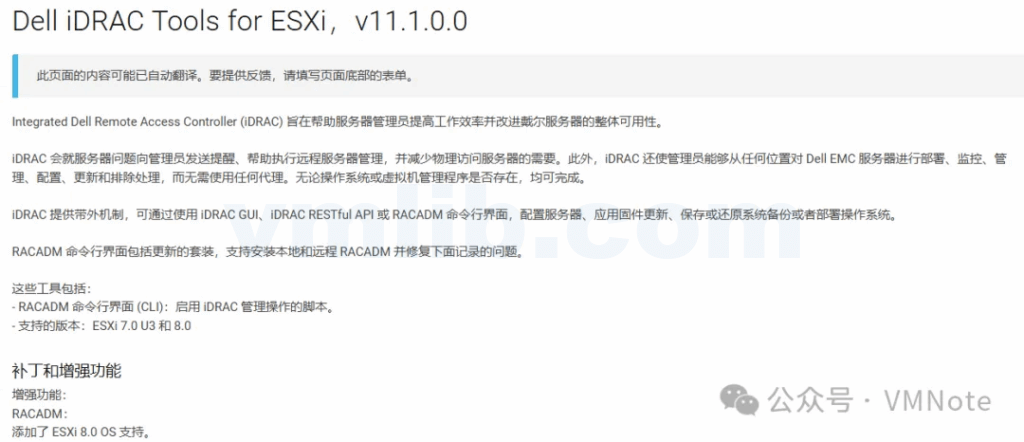
第1步,在Dell支持主页下载RACADM的安装包
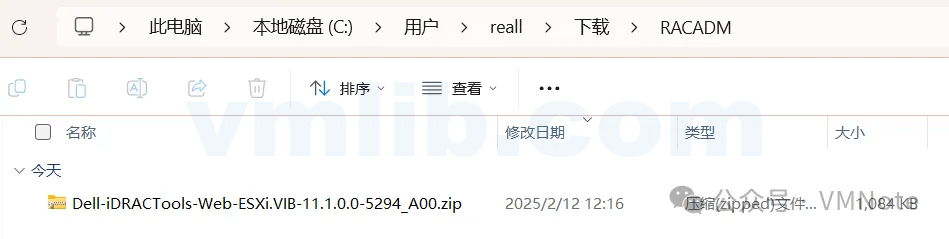
第2步,登录ESXi主机客户端,将RACADM的安装包上传到ESXi,详细步骤参考:《如何上传文件到VMware ESXi的数据存储(Datastore)》
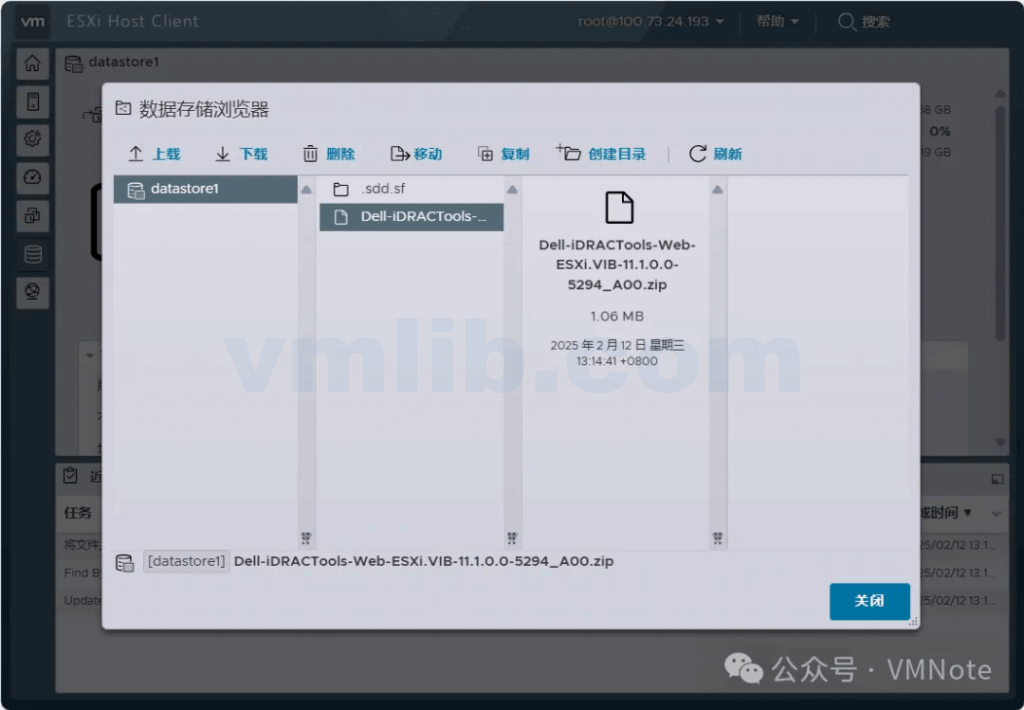
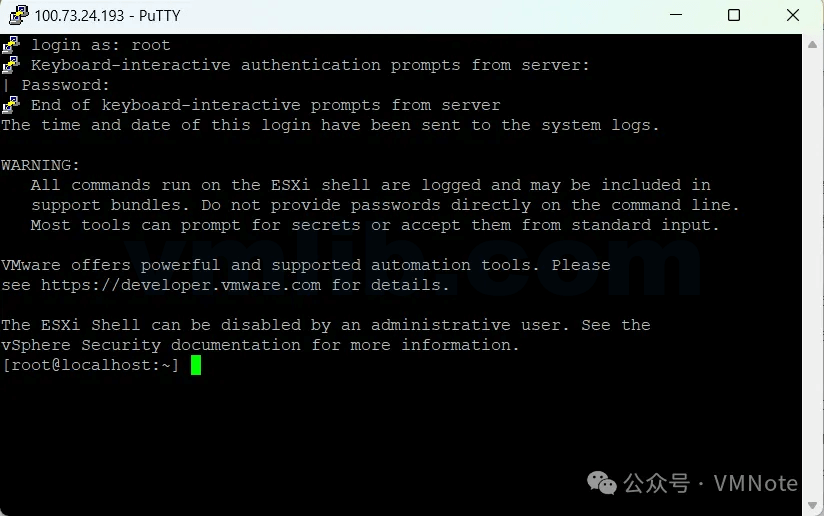
第3步,访问ESXi的命令行,具体步骤参考:《如何访问VMware ESXi的本地命令行(Shell)》或 《如何开启VMware ESXi的SSH和Shell服务》
第4步,运行如下命令确认上传RACAM的安装包是否存在
[root@localhost:~] ls /vmfs/volumes/datastore1/Dell-iDRACTools-Web-ESXi.VIB-11.1.0.0-5294_A00.zip[root@localhost:~]

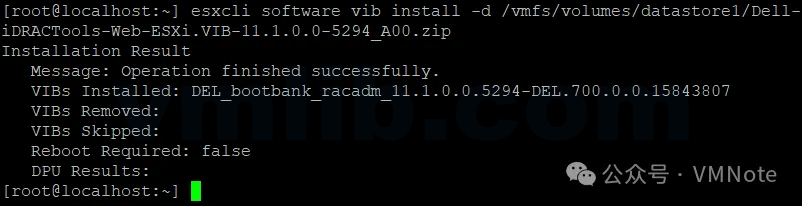
第5步,运行如下命令安装RACADM
注意:文件路径需要使用绝对路径
[root@localhost:~] esxcli software vib install -d /vmfs/volumes/datastore1/Dell-iDRACTools-Web-ESXi.VIB-11.1.0.0-5294_A00.zipInstallation ResultMessage: Operation finished successfully.VIBs Installed: DEL_bootbank_racadm_11.1.0.0.5294-DEL.700.0.0.15843807VIBs Removed:
VIBs Skipped:
Reboot Required: false
DPU Results:[root@localhost:~]
第6步,运行以下命令确认确认RACADM安装成功
[root@localhost:~] esxcli software vib list | grep racadmracadm 11.1.0.0.5294-DEL.700.0.0.15843807 DEL PartnerSupported 2025-02-12 host[root@localhost:~]

第7步,使用cd命令切换到RACADM的目录下
[root@localhost:~] cd /opt/dell/racadm/[root@localhost:/opt/dell/racadm] lsbin lib64 sbin[root@localhost:/opt/dell/racadm]

第8步,运行RACAM的命令
[root@localhost:/opt/dell/racadm] racadm help

 help                 -- Display list of RACADM sub commands with help string
 help [subcommand]    -- display usage summary for a subcommand
 arp                  -- display the networking ARP table
 autoupdatescheduler  -- Automatic Platform Update of the devices on the server.
 bezelfilter          -- perform a Bezel Filter Life reset operation
 bioscert             -- Secure Boot Certificate Management operations
 biosscan             -- Performs BIOS live scanning or creates a recurrent job for live scanning.
 clearasrscreen       -- clear the last ASR (crash) screen
 clearpending         -- clear pending attribute(s) value of a Device Class
 closessn             -- close a session
 clrsel               -- clear the System Event Log (SEL)
 cmreset              -- perform a Chassis Manager reset operation
 coredump             -- display the RAC coredump files
 coredumpexport       -- Export the RAC coredump files
 coredumpdelete       -- Deletes the core files
 driverpack           -- display driverpack info
 debug                -- Field Service Debug Authorization facility commands
 eventfilters         -- Alerts configuration commands
 exposeisminstallertohost -- Support Assist operations.
 fwupdate             -- update the RAC firmware
 get                  -- display RAC configuration properties
 gethostnetworkinterfaces -- Display host network interface details
 getled               -- Get the state of the LED on a module.
 getmetrics           -- display GPU utilization details
 getniccfg            -- display current network settings
 getraclog            -- display the RAC log
 getractime           -- display the current RAC time
 getremoteservicesstatus -- display remote services status
 getsel               -- display records from the System Event Log (SEL)
 getsensorinfo        -- display system sensors
 getssninfo           -- display session information
 getsvctag            -- display service tag information
 getsysinfo           -- display general RAC and system information
 gettracelog          -- display the RAC diagnostic trace log
 getuscversion        -- Deprecated: display the current USC version details
 getversion           -- display the current version details
 groupmanager         -- Groupmanager commands
 heatermanager        -- Display Heater Manager information
 httpsbootcert        -- Bios HTTPS Boot Certificate Management operations
 ifconfig             -- display network interface information
 inlettemphistory     -- inlet temperature history operations
 idmconfig            -- modify RAC configuration properties through IDM
 krbkeytabupload      -- upload kerberose keytab file to the RAC
 license              -- License Manager commands
 lclog                -- LCLog operations
 localConRedirDisable -- Deprecated: disable the Virtual Console from a local Console
 frontpanelerror      -- hide LCD errors - color amber to blue
 netstat              -- display routing table and network statistics
 pcieslotview         -- Displays PCIe Slot details
 ping                 -- send ICMP echo packets on the network
 ping6                -- send ICMP echo packets on the network
 plugin               -- Plugin operations
 racdump              -- display RAC diagnostic information
 racreset             -- perform a RAC reset operation
 racresetcfg          -- restore the RAC configuration to factory defaults
 recover              -- Recover firmware to its previous version.
 remoteimage          -- make a remote ISO image available to the server
 remoteimage2         -- make a remote ISO image available to the server
 rollback             -- Rollback firmware to its previous version.
 sekm                 -- SEKM commands
 serialcapture        -- Serial Data Capture Commands
 serveraction         -- perform system power management operations
 set                  -- modify RAC configuration properties
 setgpu               -- GPU baseboard management
 setled               -- Set the state of the LED on a module.
 setniccfg            -- modify network configuration properties
 sshpkauth            -- manage SSH PK authentication keys on the RAC
 sslcertchallenge     -- upload an SSL certificate to the RAC
 sslcertupload        -- upload an SSL certificate to the RAC
 sslcertdelete        -- delete an SSL certificate on the iDRAC
 sslcertdownload      -- download an SSL certificate from the RAC
 sslcertview          -- view SSL certificate information
 sslcsrgen            -- generate a certificate CSR from the RAC
 sslencryptionstrength -- Deprecated: Display or modify the SSL Encryption strength.
 sslkeyupload         -- upload an SSL key to the RAC
 sslresetcfg          -- Restores the web-server certificate to factory defaults.
 supportassist        -- Support Assist operations.
 swinventory          -- Display the list of S/W Installed on the server.
 switchconnection     -- Display physical mapping of switch ports
 to server ports and iDRAC dedicated port
 systemerase          -- Performs system erase on a selected component.
 testemail            -- test RAC e-mail notifications
 testtrap             -- test RAC SNMP trap notifications
 testalert            -- test RAC SNMP - FQDN trap notifications
 traceroute           -- print the route packets trace to network host
 traceroute6          -- print the route packets trace to network host
 techsupreport        -- Tech Support Report operations.
 usercertupload       -- upload an user certificate to the DRAC
 usercertview         -- view user certificate information
 vflashpartition      -- manage partitions on the vFlash SD card
 vflashsd             -- perform vFlash SD Card initialization
 vmdisconnect         -- disconnect Virtual Media connections
 raid                 -- Monitoring and Inventory of H/W RAID connected to the server.
 storage              -- Monitoring and Inventory of H/W RAID connected to the server.
 hwinventory          -- Monitoring and Inventory of H/W NICs connected to the server.
 nicstatistics        -- Statistics for NICs connected to the server.
 infinibandstatistics -- Statistics for InfiniBand Devices connected to the server.
 fcstatistics         -- Statistics for FCs connected to the server.
 networktransceiverstatistics -- Statistics for NicTransceivers connected to the server.
 update               -- Platform Update of the devices on the server
 jobqueue             -- Jobqueue of of the jobs currently scheduled
 sensorsettings       -- Set the sensor threshold levels.
 diagnostics          -- Remote Diagnostic commands
 systemperfstatistics -- Display or Modify System Performance Statistics
 ackdriveremoval      -- Acknowledge the intentional drive removal and clear the amber state of chassis LED to healthy state
 witnessnodepoweraction -- perform witness node power management operations
 spdm                 -- SPDM Inventory and identity export of devices.

 Groups

 BIOS                -- Configuration of BIOS attributes
 iDRAC               -- Configuration of iDRAC attributes
 LifecycleController -- Configuration of LifecycleController attributes
 Nic                 -- Configuration of NIC attributes
 Storage             -- Configuration of Storage attributes
 System              -- Configuration of System attributes
 FC                  -- Configuration of Fiber Channel attributes
 InfiniBand          -- Configuration of InfiniBand attributes

For Help on configuring the properties of a group - racadm help set

-----------------------------------------------------------------------


[root@localhost:/opt/dell/racadm]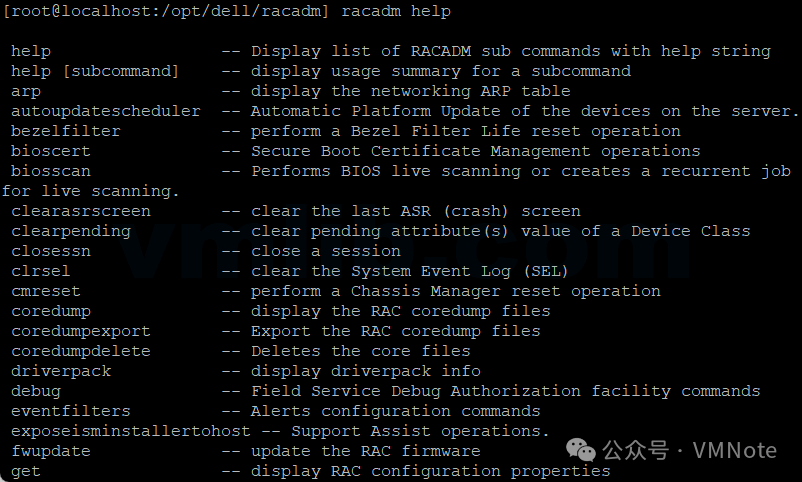


 VM技术助理