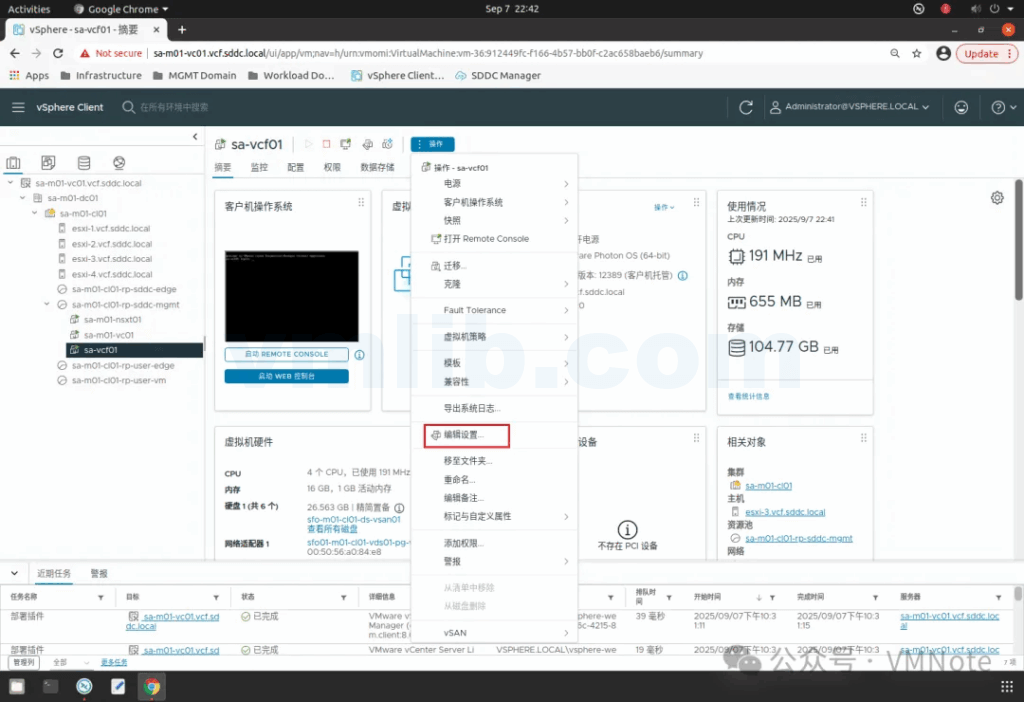
Step 1: Sign in to the vCenter Server / VMware vSphere UI, locate the SDDC Manager virtual machine, then click Actions > Edit Settings
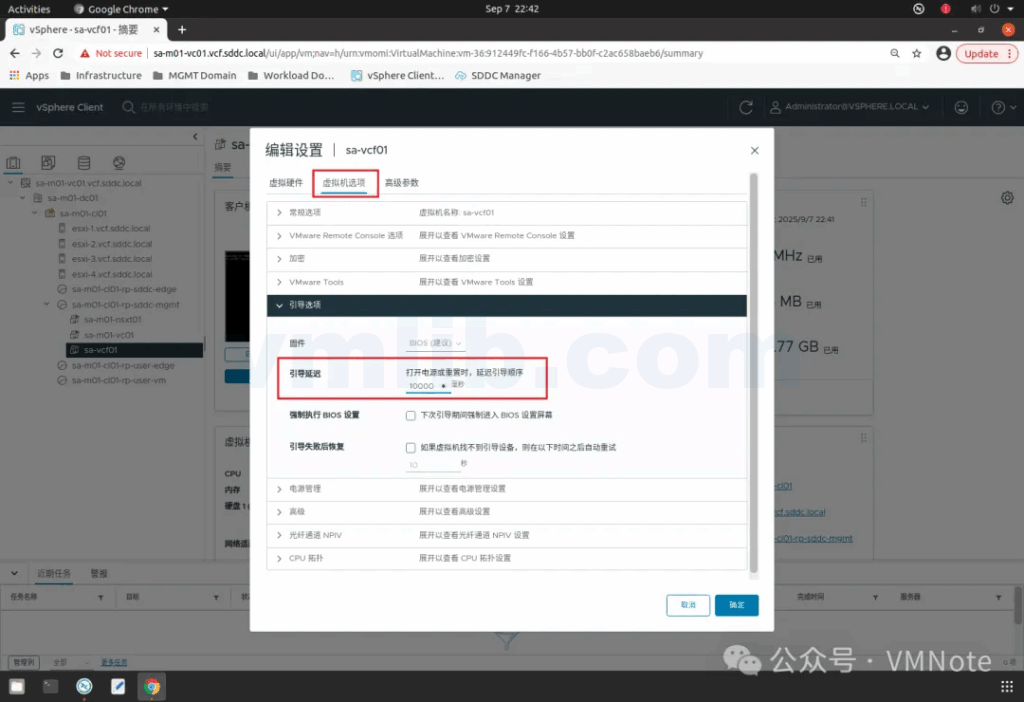
Step 2: Under VM Options > Boot Options, change Boot Delay from the default 0 to 10000 milliseconds, then click OK to save
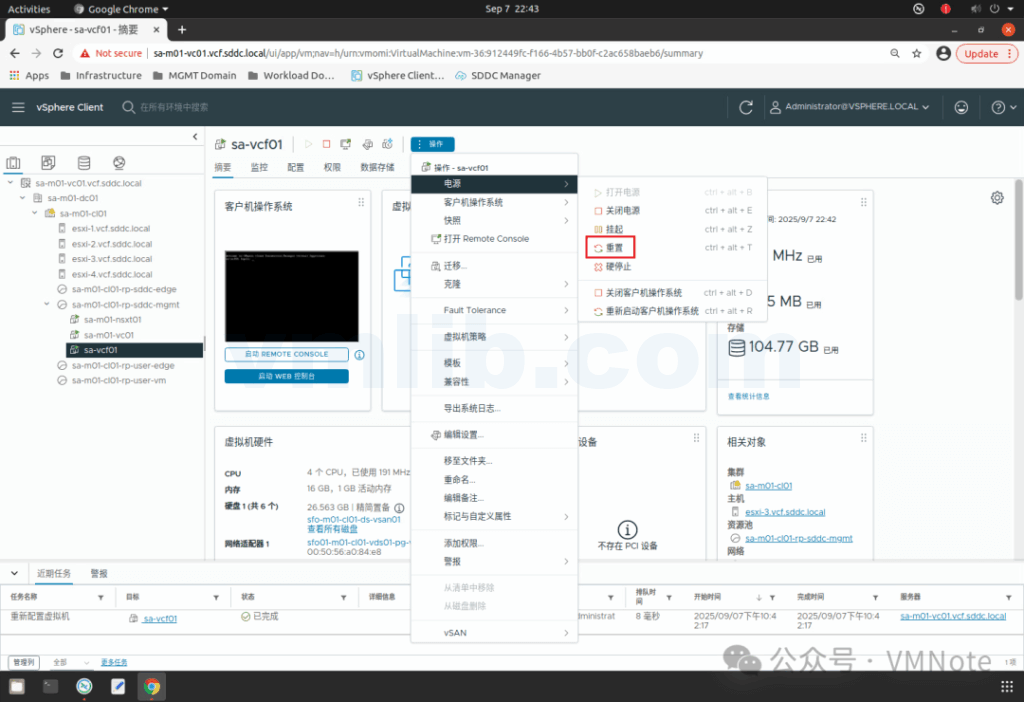
Step 3: Click Actions > Power > Reset
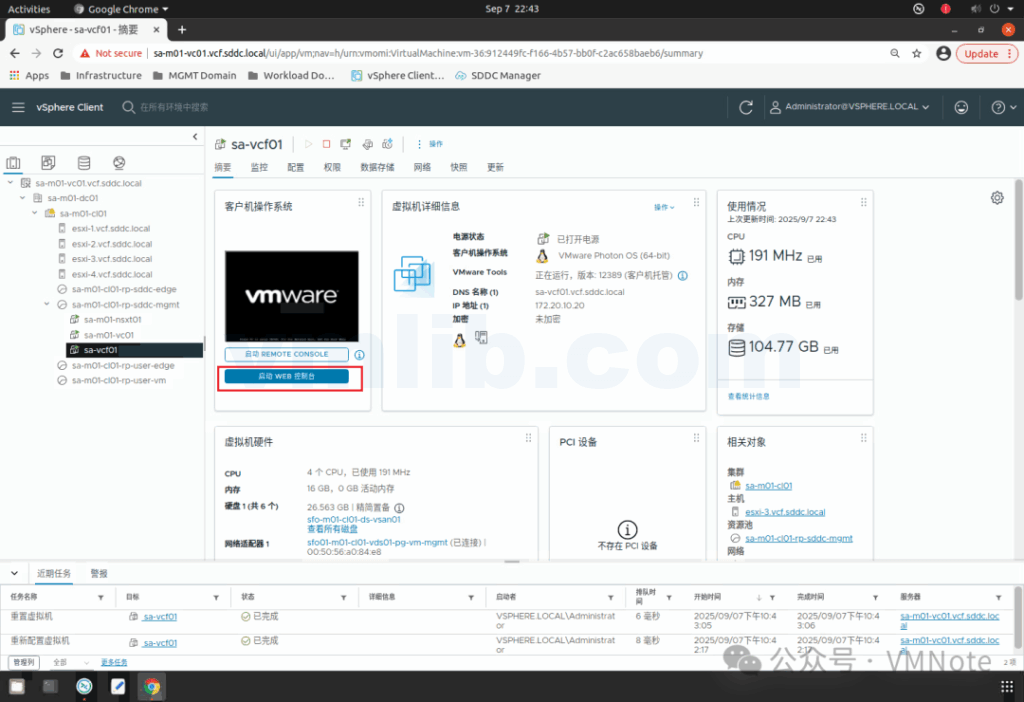
Step 4: Open the console of the SDDC Manager virtual machine
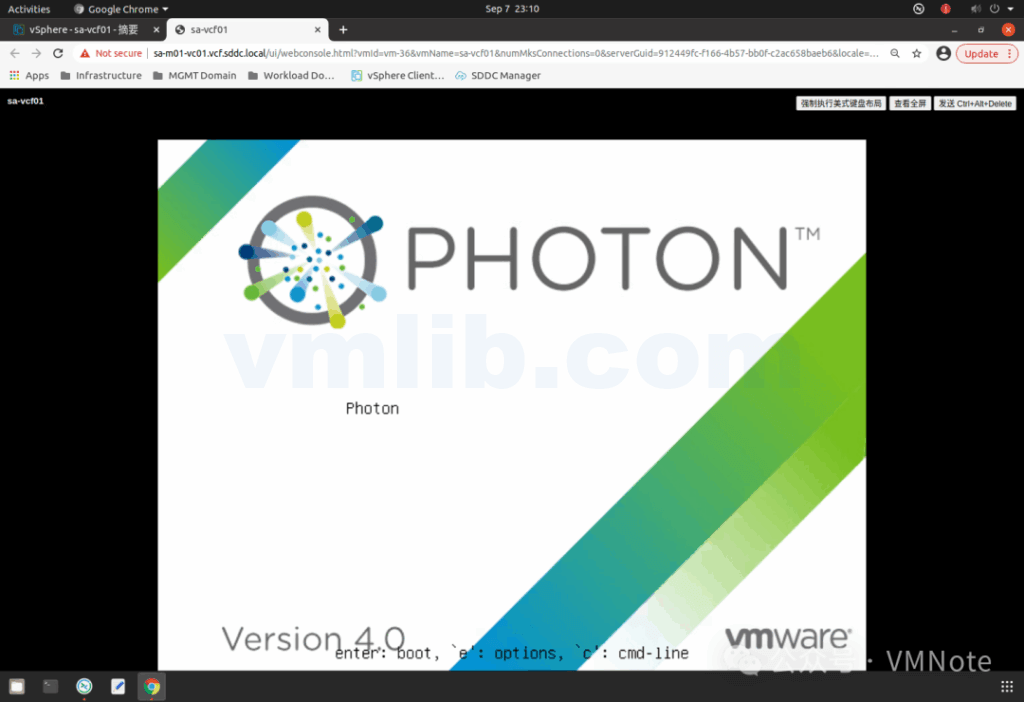
Step 5: On the Photon OS screen, press “e” to enter GRUB
Step 6: Use the arrow keys to navigate to the line starting with linux, and append the following at the end of the line:
rw init=/bin/bash
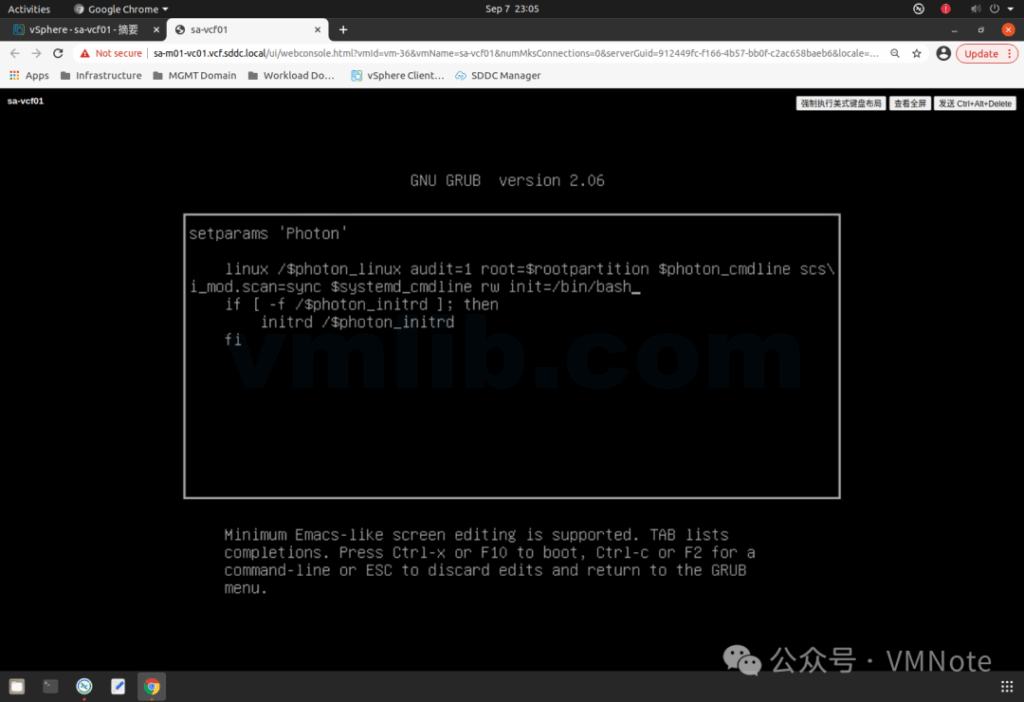
Step 7: Press F10 to continue booting the SDDC Manager virtual machine
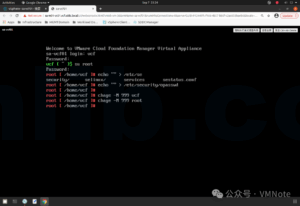
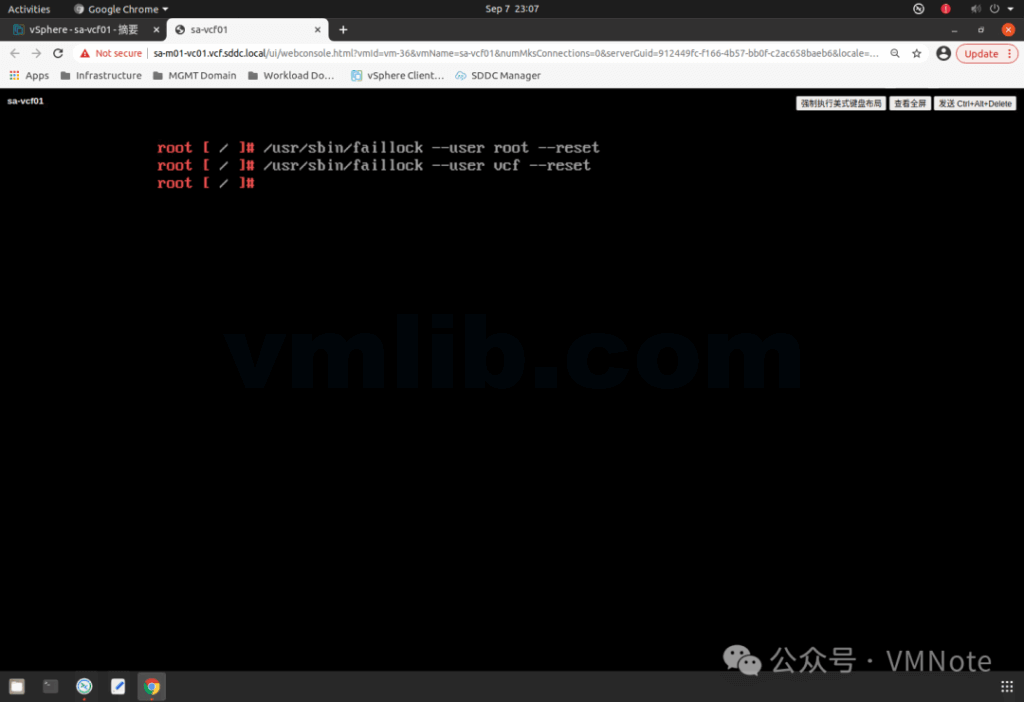
Step 8: Run the following commands to unlock the vcf and root accounts:
/usr/sbin/faillock --user root --reset
/usr/sbin/faillock --user vcf --reset
Step 9: Run the following commands to set temporary passwords for both vcf and root:
passwd vcf
passwd root
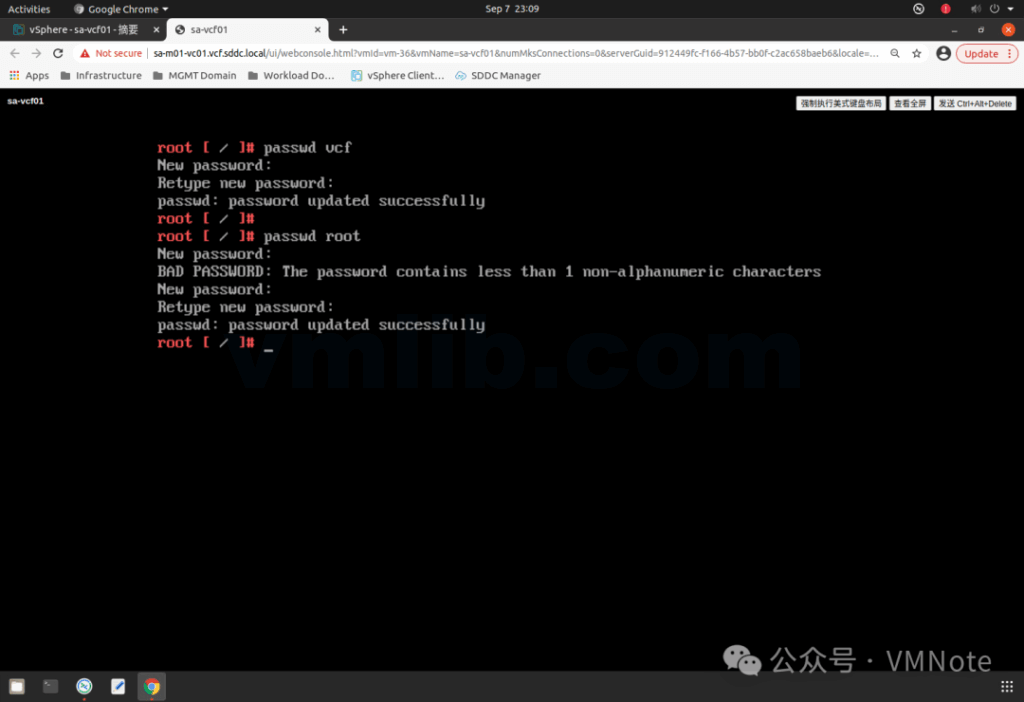
Step 10: Reboot SDDC by running:
reboot -f
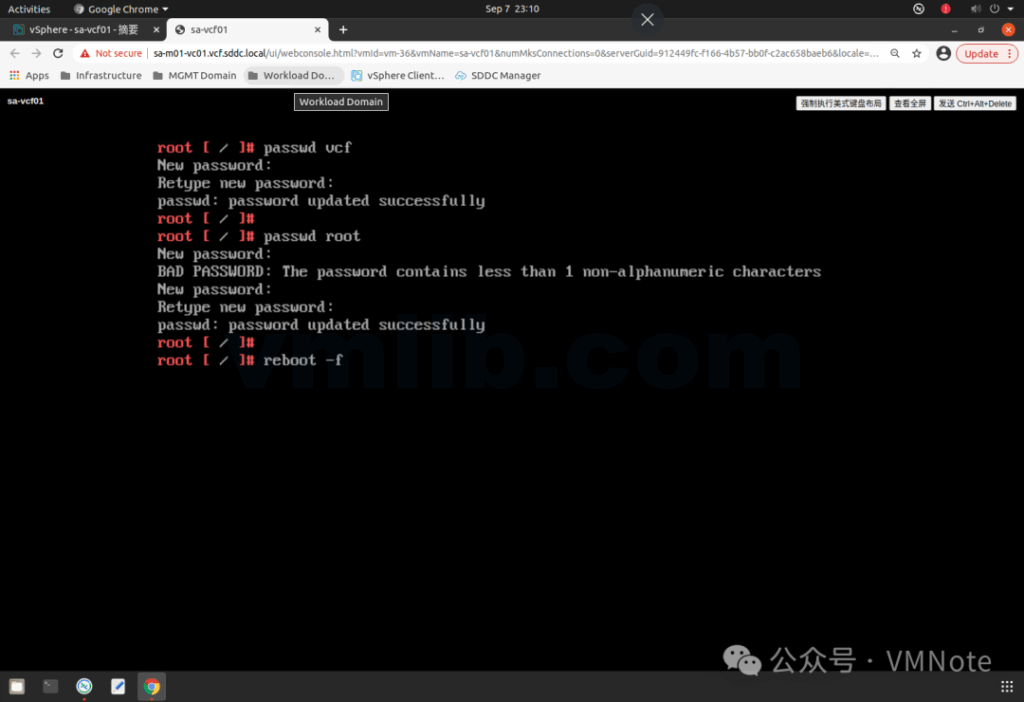
Step 11: After a few minutes, connect to SDDC Manager via SSH using the vcf account and the temporary password. Then switch to root and enter the temporary root password:
su root
Step 12: Run the following command to clear the password history:
echo "" > /etc/security/opasswd
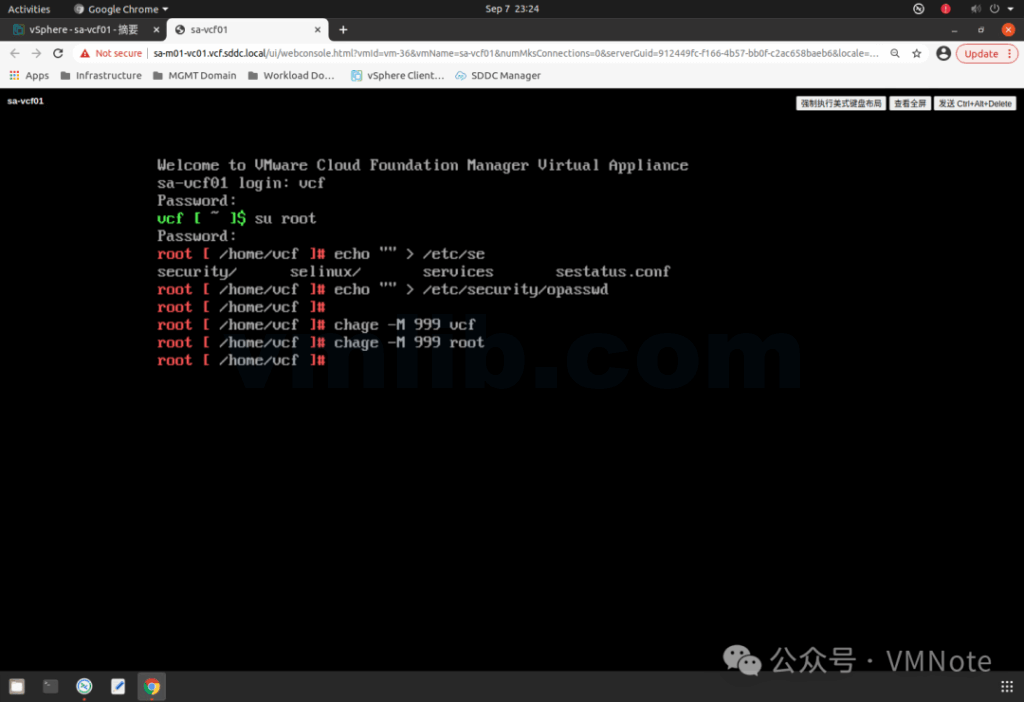
Now use the commands from Step 9 to set the accounts to a new password or your previous password.
Note: Be sure to remember the new passwords for both vcf and root
You can also use the following commands to extend the password expiration period:
vcf:  chage -M 999 vcf
root: chage -M 999 root
In day-to-day operations, losing the vcf or root password—or having the account locked—is one of the most common and disruptive issues in a VMware Cloud Foundation environment. Using the GRUB single-user recovery method described above, you can quickly unlock accounts, reset passwords, and restore SSH access to SDDC Manager within minutes. It’s a good practice to regularly review password policies, back up critical credentials, and familiarize yourself with Photon OS recovery procedures to avoid future lockouts. These steps will help keep your Cloud Foundation environment secure, stable, and fully manageable.
The above steps are based on the official VMware KB: 323984
https://knowledge.broadcom.com/external/article/323984/how-to-reset-sddc-manager-vcf-and-root-u.html



 VM技术助理