

This article explains how to use the Broadcom Compatibility Guide to look up supported network adapter (NIC) models for VMware ESXi.
Step 1: Open the Broadcom Compatibility Guide homepage
https://compatibilityguide.broadcom.com
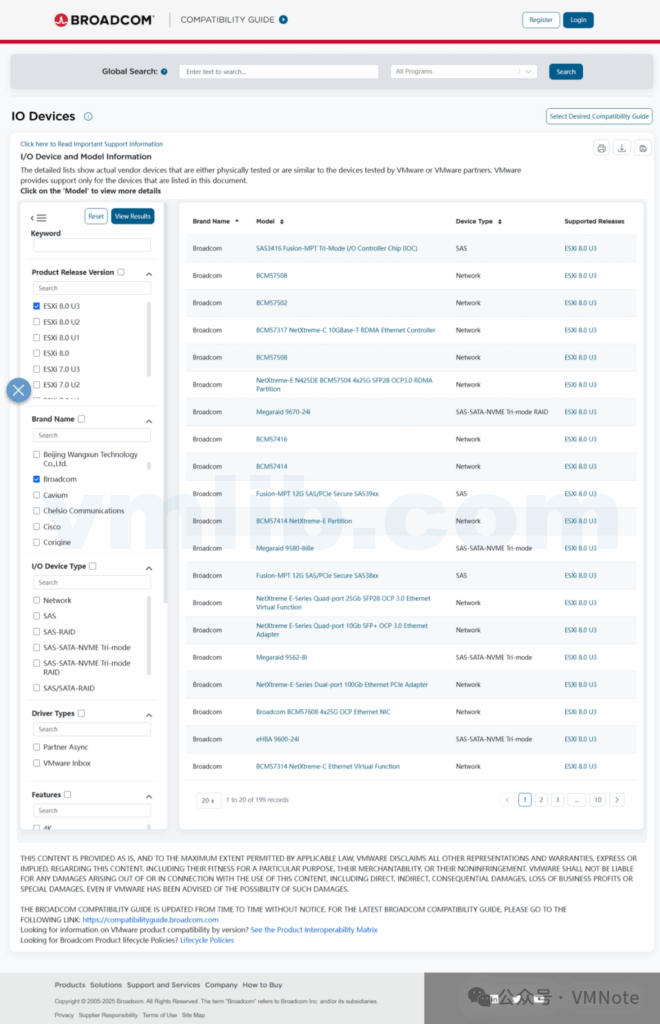
Step 2: Under Platform & Compute, click IO Devices
Step 3: On the Product Release Version page, select your ESXi version
Step 4: Under I/O Device Type, check Network
Step 5: Click View Results at the top
Step 6: On the right side, you will see the supported NIC brands and specific models for ESXi
Note: If the results are too broad, you can further narrow them down by selecting a specific NIC brand (Brand Name) and clicking View Results again to filter
Step 7: Click the NIC model name
Step 8: On the device compatibility page, you can review the firmware and driver requirements for that NIC with ESXi
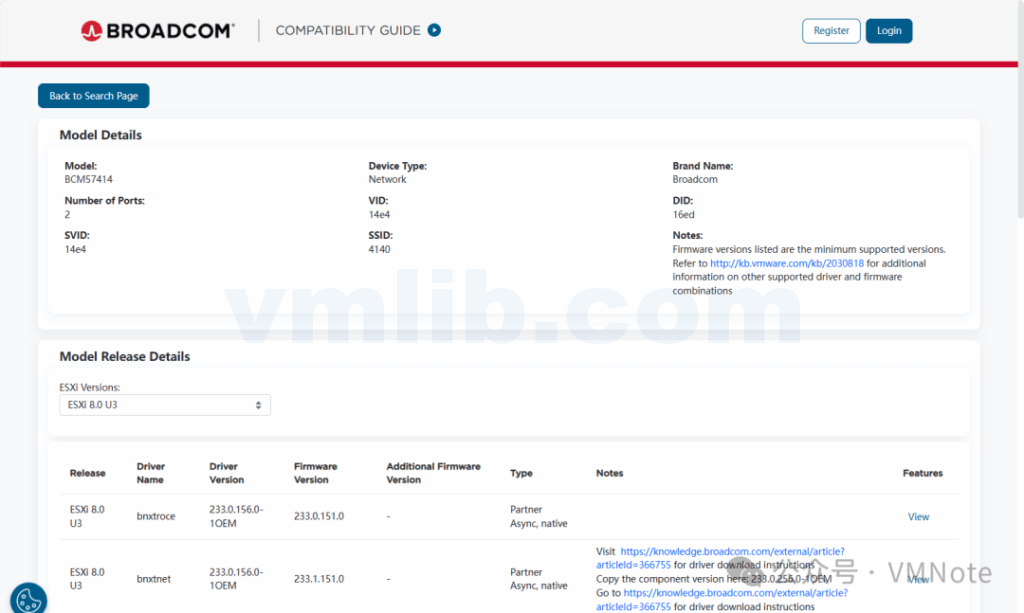
Using the Broadcom Compatibility Guide, you can quickly verify supported ESXi network adapters, along with their required drivers and firmware versions. It’s recommended to perform this compatibility check before deploying or upgrading vSphere to ensure a stable and reliable environment.


 VM技术助理