
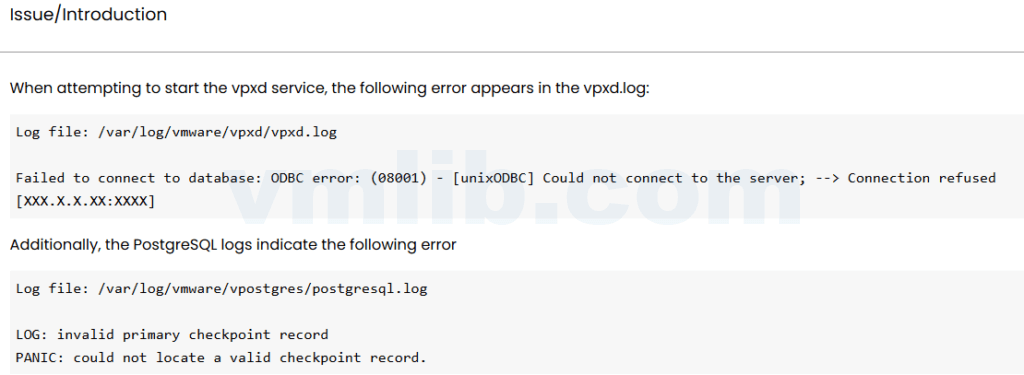
When vpxd will not start, vCenter may look completely broken even though the appliance is still reachable through SSH or VAMI. The wrong move is to restart every service repeatedly without reading the database and vpxd logs.
I usually start with PostgreSQL health, disk space, and the first error in the service chain.
Check service status
service-control --status --all
service-control --status vpxd
If several services are down, find which one failed first. vpxd may be only the visible symptom.
Check disk space
df -hA full partition can break PostgreSQL, log rotation, certificate operations, and service startup. Do not edit database files while the appliance is out of space.
Read vpxd and PostgreSQL logs
tail -n 200 /var/log/vmware/vpxd/vpxd.log
tail -n 200 /var/log/vmware/vpostgres/postgresql.log
Look for database connection failures, schema issues, authentication errors, or storage problems. The useful line is often above the final fatal message.
Backup before repair
If VAMI backup is available, check the latest backup first. If you must take a snapshot, understand the risk in linked mode or VCHA before proceeding.
Reference
Based on the Chinese article vCenter vpxd 服务无法启动的 PostgreSQL 日志修复方法, rewritten for English administrators.



 VM技术助理