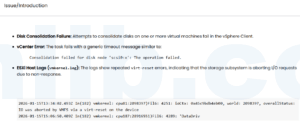

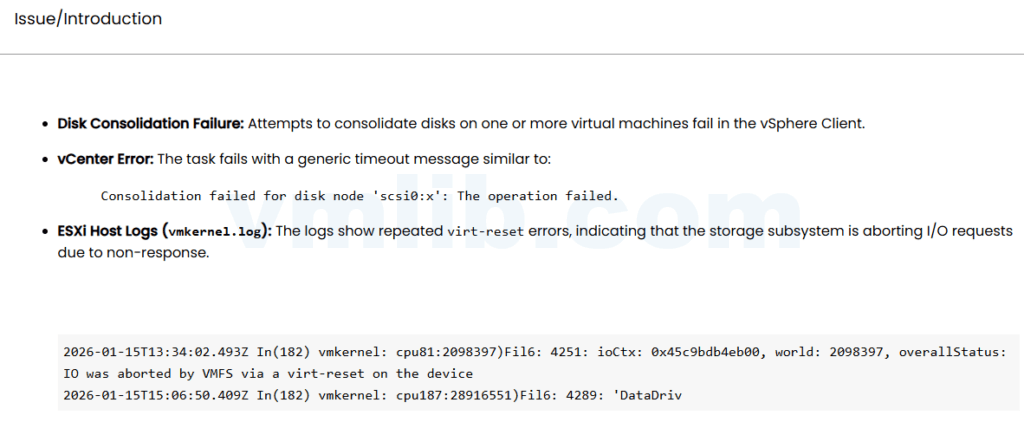
When disk consolidation fails on ESXi 8.x and the log shows IO was aborted by VMFS via a virt-reset, I treat it as a storage path and latency investigation first. Retrying consolidation without checking storage can make the VM stun longer or fail again.
Check the snapshot chain
Confirm how many delta or sesparse files exist and how fast they are growing. If the VM is busy, schedule consolidation during a maintenance window.
ls -lh *delta* *sesparse* 2>/dev/nullCheck datastore latency
esxtop
# press d
# check DAVG, KAVG, GAVG
If latency spikes during consolidation, storage congestion may be the real reason. Check backup jobs, replication, array health, and other noisy workloads.
Check paths and HBA driver
For FC or iSCSI, look for path flapping, aborts, resets, and queue pressure. Compare HBA firmware/driver versions with the vendor compatibility matrix.
Do not force it blindly
If the VM is production-critical, confirm backup state before more consolidation attempts. A failed consolidation is often recoverable; a rushed cleanup can remove useful evidence.
Reference
Based on the Chinese article ESXi 8.x 中磁盘合并失败:IO 被 VMFS 通过 virt-reset 中止问题分析, rewritten for English troubleshooting searches.



 VM技术助理