
When vMotion starts failing after an ESXi host reboot, I do not assume the VM is the problem. A reboot can expose missing vmkernel settings, wrong VLANs, MTU mismatch, host profile drift, or a service that did not come back cleanly.
This is the order I use before changing cluster settings.
Check the vMotion vmkernel adapter
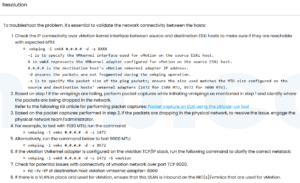
esxcli network ip interface list
esxcli network ip interface tag get -i vmkX
Confirm the correct vmkernel adapter is tagged for vMotion. If the host uses multiple TCP/IP stacks, make sure the route belongs to the right stack.
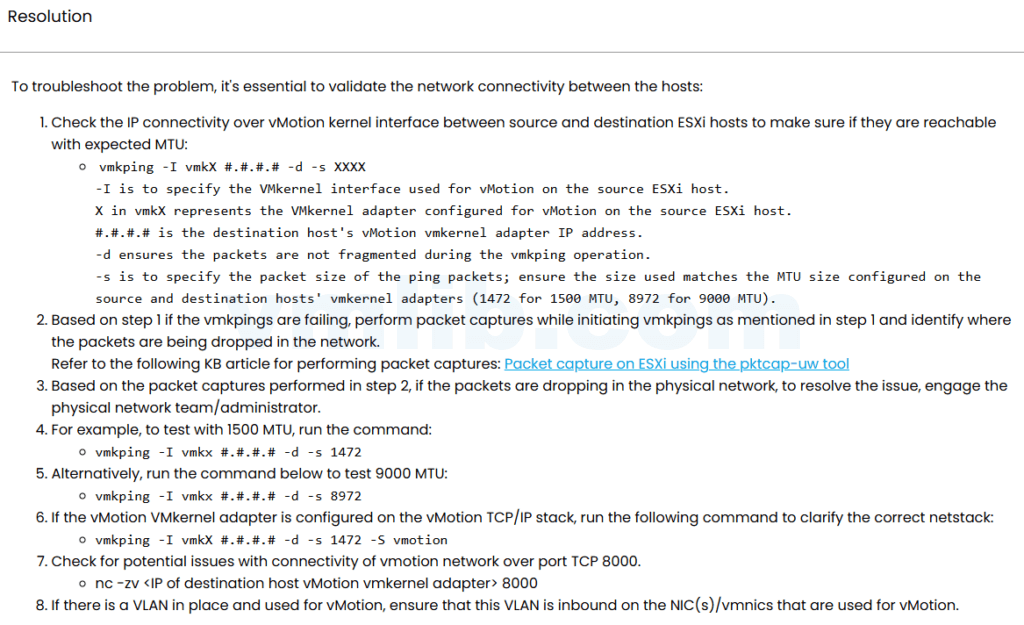
Test network reachability
vmkping -I vmkX TARGET_VMOTION_IP
vmkping -I vmkX -s 8972 -d TARGET_VMOTION_IP
Use the large-packet test only if jumbo frames are expected. If it fails, check MTU on the vSwitch, vmkernel adapter, physical switch, and upstream path.
Check host state and compatibility
Confirm the host is not in maintenance mode, disconnected, or blocked by EVC, licensing, CPU compatibility, or datastore accessibility.
Look at the exact vMotion error
Different errors point to different layers. Network timeout, compatibility failure, datastore visibility, and stun timeout should not be handled the same way.
Reference
Based on the Chinese article ESXi 主机重启后 vMotion 失败的详细故障排查, rewritten for English vSphere administrators.



 VM技术助理