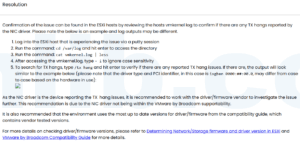


When a vCenter Server Appliance deployment fails during firstboot, retrying the same wizard usually wastes time. Firstboot is the stage where VCSA brings up services, SSO, certificates, database components, and identity configuration. If the foundation is wrong, the failure will repeat.
This is the order I use before deciding whether to repair the appliance or redeploy it cleanly.
Check DNS before anything else
Forward and reverse DNS must match the VCSA FQDN and IP. A small DNS mismatch can break certificate generation, SSO registration, and service startup.
nslookup vcsa.example.com
nslookup VCSA_IP_ADDRESS
If reverse lookup returns the wrong name, fix DNS first. Do not keep rerunning firstboot against bad DNS.
Check time sync
NTP drift can cause SSO and certificate problems during deployment. Confirm the ESXi host, DNS server, domain controllers, and VCSA target time are close enough.
Read the deployment logs
The UI error is usually too short. Check the VCSA deployment logs and firstboot logs. Look for the first real error, not the last service that failed after the chain was already broken.
When I redeploy
- Wrong FQDN was used.
- DNS was broken during firstboot.
- SSO domain or site name was entered incorrectly.
- The appliance was powered off midway through firstboot.
- Several core services failed because of one early configuration mistake.
Reference
Based on the Chinese article vCenter Server Appliance 6.7 部署在 firstboot 期间失败, rewritten for English troubleshooting searches.


 VM技术助理